
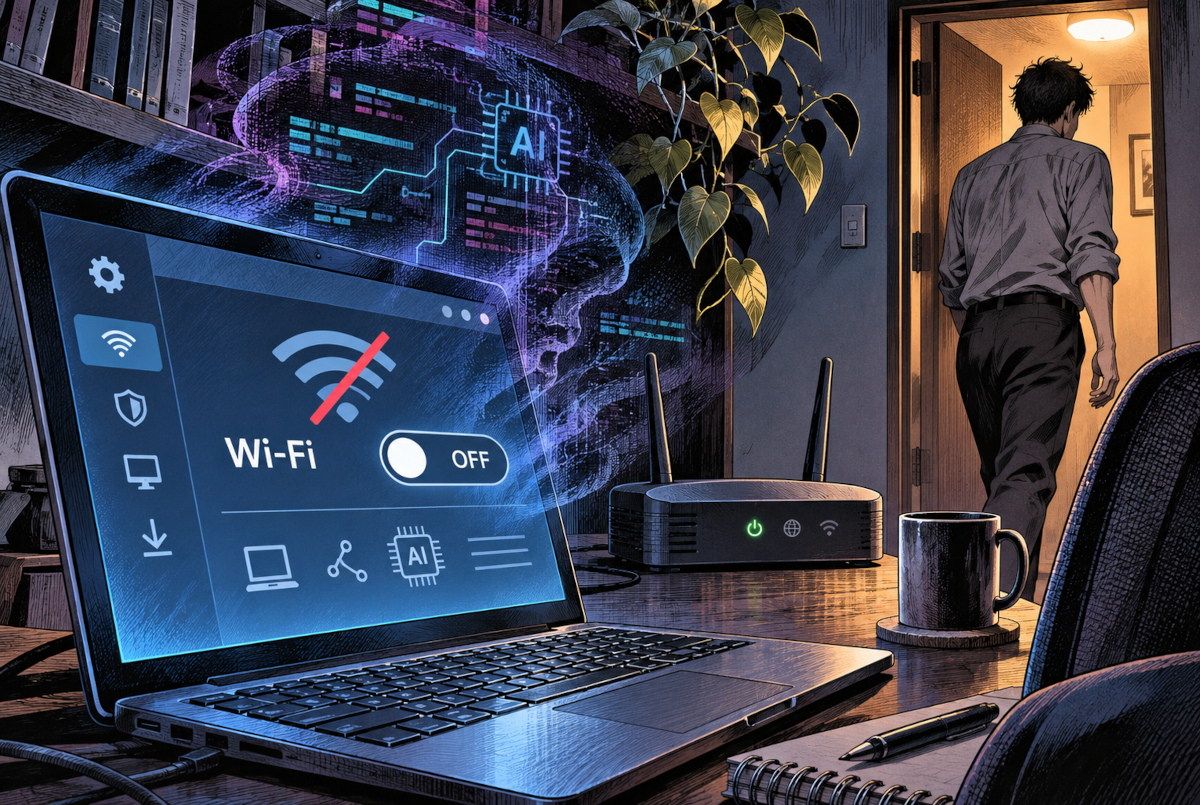
You’ve finished checking your email, perhaps ordered something online, and now you’re heading to the kitchen. Before leaving your Windows PC unattended, you switch Wi-Fi to Off. That should keep unwanted visitors out, shouldn’t it?
But now we have AI agents capable of carrying out parts of real cyberattacks. So here’s an oddly specific question: if you’ve switched off Wi-Fi in Windows, could malicious software—or an AI-assisted attacker—turn it back on without your permission?
The short answer: if Wi-Fi is genuinely off, an attacker cannot simply enter your PC through that wireless connection. But if the computer has already been compromised, the situation changes.
Does Windows Actually Turn Off the Wi-Fi Radio?
This is what bothered me in the first place. The Wi-Fi switch in Windows is a software control. So when you click Off, does the wireless hardware really stop transmitting, or does Windows merely pretend the connection is gone?
Microsoft’s technical documentation provides a surprisingly clear answer.
For supported Windows devices using the Modern Standby power-management model, turning off Wi-Fi sends a command through the wireless driver to power down the radio-frequency components responsible for wireless communication.
In other words, the Off setting is not merely a cosmetic change to the Windows interface. Under the intended operation, it actually stops the wireless radio.
That does not mean every component of the Wi-Fi adapter loses all electrical power. Microsoft distinguishes between switching off the radio and powering down the entire device.
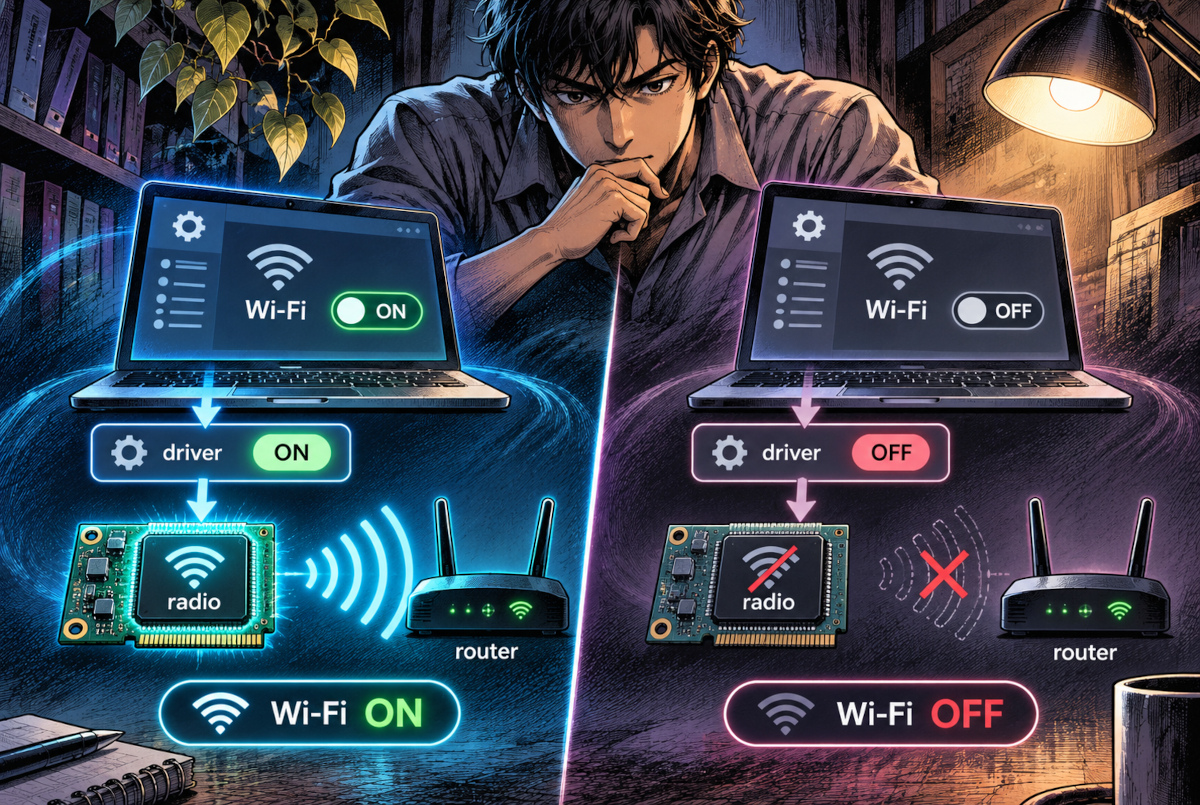
Conceptual illustration based on Microsoft’s wireless power-management documentation. Turning off Wi-Fi disables the PC’s wireless radio, not the router itself. The driver’s Off label represents a control command; it does not mean the driver software has been shut down.
There is another detail worth investigating. Microsoft’s WLAN API distinguishes between software and hardware radio states. The software state can be changed programmatically, while the physical hardware radio state cannot be changed through the same API call.
So the Windows switch really does something. But because its software state can also be changed by software, it is not an irreversible physical disconnection.
What if Malware Is Already Inside Your PC?
Now imagine a less comfortable scenario. Your PC has already been infected with malware, and that malicious program has obtained sufficient privileges to alter system settings.
Switching off Wi-Fi interrupts the wireless connection. However, depending on the privileges available and the computer’s configuration, malicious software already running locally may be able to turn the software-controlled radio back on.
That is an important distinction. We are not talking about an AI somehow reaching a computer through a wireless signal that has been switched off.
We are talking about malicious software that got inside earlier and may later restore the connection from within.
To make sense of this, I separated the problem into three situations that are often lumped together under the phrase “hacking a PC.”
| Situation | What Turning Off Wi-Fi Actually Does |
|---|---|
| An attacker has not yet compromised the PC | Blocks new access attempts through that Wi-Fi connection while it remains off |
| Malware is already running on the PC | Interrupts Wi-Fi communication, but software may be able to restore it under certain conditions |
| Online account credentials have already been stolen | Does not prevent an attacker from signing in to a cloud service from another device |
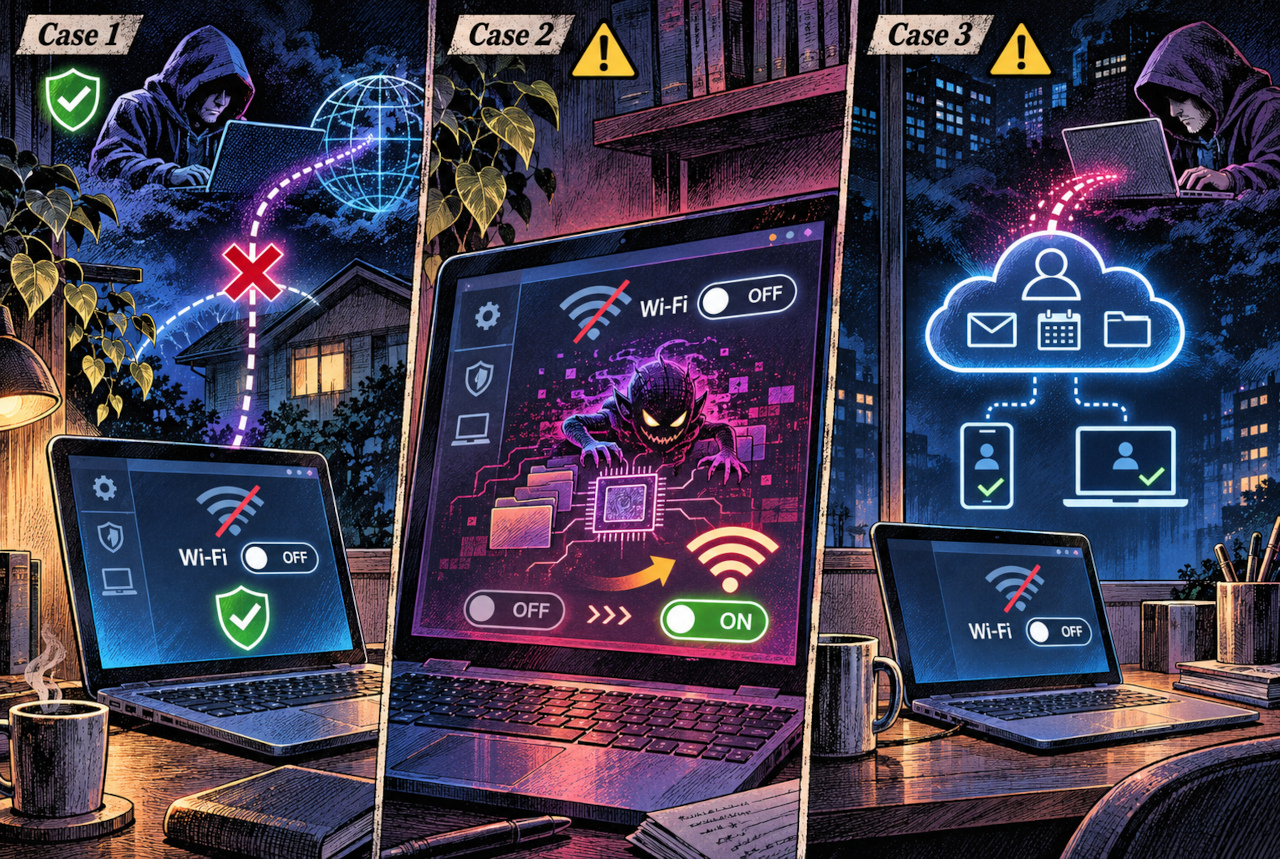
AI-generated conceptual illustration. Wi-Fi Off blocks communication through that wireless interface, but it does not guarantee that the entire PC is secure. The middle scene illustrates the possibility of previously installed malware restoring connectivity under certain conditions. The right-hand scene shows cloud-account compromise occurring independently of the PC’s Wi-Fi connection.
This comparison exposes another trap: disabling Wi-Fi does not necessarily take the computer completely offline. A wired Ethernet connection, USB tethering or another active network interface may still provide internet access.
And shutting down the PC cannot undo credentials that have already been stolen. An online account exists on somebody else’s servers, whether your computer is running or not.
AI Performed 80–90% of One Cyber Espionage Campaign
Here is where the story becomes more unsettling. Attackers are increasingly using AI to automate the work involved in finding and exploiting weaknesses.
On November 13, 2025, Anthropic disclosed a cyber espionage campaign in which attackers had manipulated its Claude Code system. According to the company, the operation attempted to infiltrate roughly 30 organizations worldwide and succeeded in a small number of cases.
Anthropic estimated that AI carried out approximately 80–90% of the campaign’s work, with human operators intervening at around four to six critical decision points per hacking campaign.
That 80–90% figure is not the intrusion success rate. It describes the estimated share of work handled by AI in a particular operation. Confusing the two would turn an already serious report into a misleading headline.
Anthropic also reported that the system made mistakes, including inventing credentials and misidentifying publicly available material as secret information. AI-driven attacks were not flawless or entirely independent of human operators.
Then, on November 16, 2026, Google Threat Intelligence Group and Mandiant reported that multiple threat actors were using AI-agent frameworks to automate specific stages of real-world intrusions.
These systems can coordinate tasks such as reconnaissance, vulnerability analysis and exploitation. Google’s report described multi-agent frameworks including CAIRN and PentAGI, alongside other tools being adopted or tested by attackers.
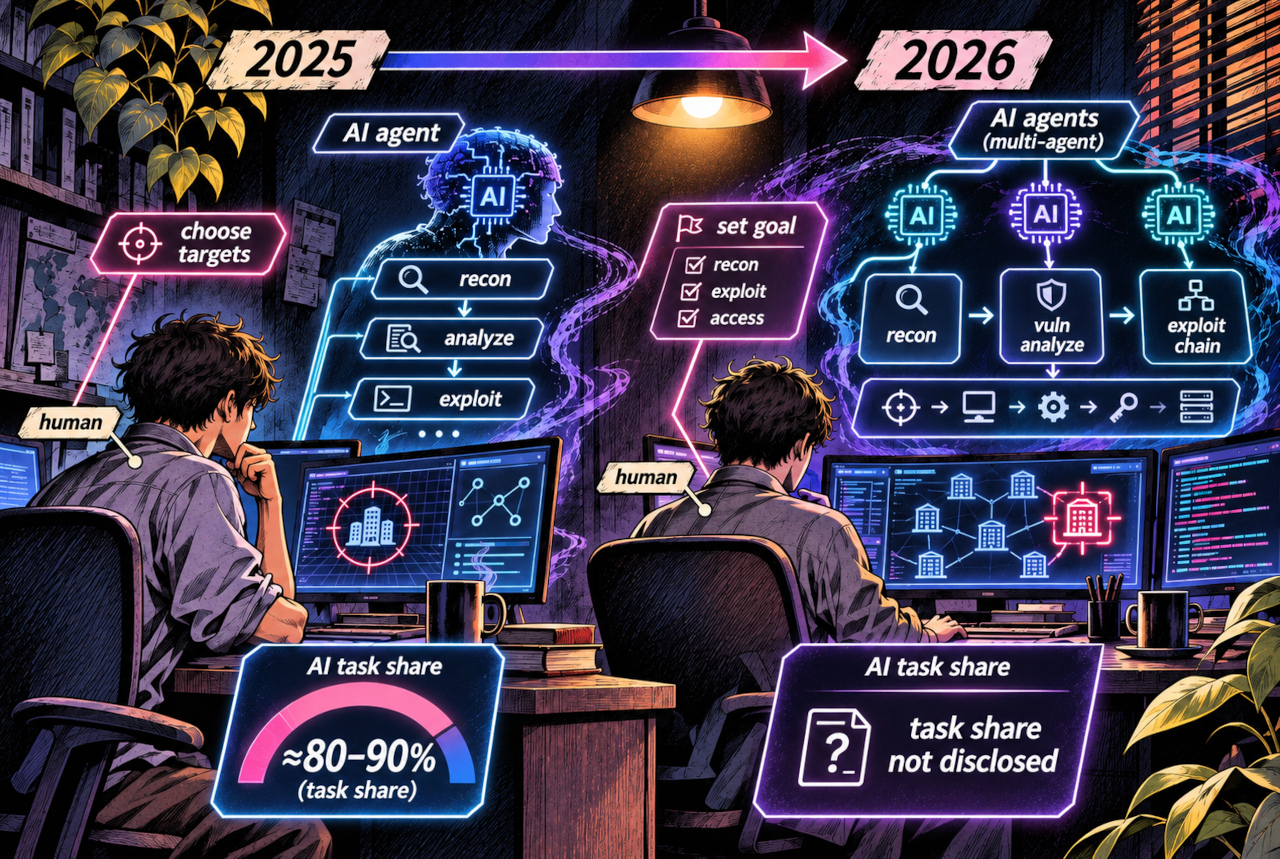
AI-generated conceptual illustration, not footage or a reconstruction of an actual attack. Anthropic’s 2025 estimate of 80–90% refers to AI’s share of work in a specific campaign, not its success rate. Multiple AI instances were also used in 2025. Google’s 2026 report concerns separate activity and does not provide a directly comparable overall task-share percentage. The illustrated steps and number of agents are schematic; they do not imply that every intrusion succeeded.
An AI agent is a system that can carry out sequences of tasks using software tools, rather than merely answering individual questions. In an attacker’s hands, that ability can accelerate reconnaissance, analysis and other operations.
Comparing the two reports reveals something important. They do not provide a continuous statistical measurement of AI’s progress, and the 2026 report does not establish that AI performed more than 90% of all attack work.
What they do show is that AI-assisted cyberattacks have moved beyond simple advice and text generation into the automation of operational tasks.
AI has not rewritten the physics of Wi-Fi. It has made it easier to automate the search for weaknesses and exploit attack paths that already exist.
There is another necessary qualification: these reports primarily concern organizations and networked systems. They are not proof that an ordinary home PC can be compromised simply because its Wi-Fi is switched on.
So What Should You Do When You Leave Your PC?
Windows already includes a firewall designed to control unwanted network traffic. A PC connected to Wi-Fi is not automatically open to every stranger on the internet.
But locking your screen is not the same as disconnecting from the network. Nor does putting a computer to sleep always mean that networking has stopped. Some systems supporting Modern Standby can maintain network activity while the screen is off.
For ordinary household use, a practical approach is to press Windows key + L whenever you step away. If the PC does not need internet access, turning Wi-Fi off provides an additional way to reduce exposure through that connection. For longer periods of non-use, shutting down is another sensible option.
More importantly, keep Windows and applications updated, maintain working security protection, and leave the firewall enabled. Use multi-factor authentication on important online accounts, particularly email accounts.
If you genuinely suspect that your PC has been compromised, simply switching Wi-Fi off is not a complete solution. Isolate the computer from its network connections and investigate the possible infection.
Editor’s Note
My original question was almost embarrassingly specific: can I really trust that little Off switch in Windows?
After digging through Microsoft’s documentation, I found that it does have a real job. It tells the wireless hardware to stop transmitting. Fair enough. The switch is not just decorative.
What still bothers me is that the software-controlled setting can also be changed by software. If someone has already taken control of Windows, who is really in charge of that switch?
Meanwhile, AI is making the preliminary work of cyberattacks faster. Yet even shutting down the machine won’t necessarily protect an online account whose credentials were stolen earlier.
Perhaps that’s the real absurdity of modern computer security. We worry about whether the little Wi-Fi icon says On or Off, while our personal information may already be tied to a dozen services running somewhere else.
Before worrying about the computer’s power switch, maybe we ought to know which doors our information has already gone through.
References
- Microsoft Learn: Wi-Fi Power Management for Modern Standby Platforms — Official documentation on wireless radio states, driver commands and power management.
- Microsoft Learn: WLAN_PHY_RADIO_STATE Structure — Software and hardware wireless radio states, including programmatic control.
- Microsoft Learn: Windows Firewall — Official documentation on network traffic filtering and firewall protection.
- Microsoft Learn: Modern Standby User Experiences — Network connectivity and background activity during supported sleep states.
- Anthropic: Disrupting the First Reported AI-Orchestrated Cyber Espionage Campaign (November 13, 2025) — Original disclosure covering the targets, AI workload estimate and human involvement.
- Google Threat Intelligence Group: Agentic Threat Activity Crosses a Significant Threshold (November 16, 2026) — Research on multi-agent frameworks and automation in real-world cyber intrusions.
- Information-technology Promotion Agency, Japan (IPA): What to Do After a Personal Information Leak and How to Prepare (October 26, 2026; Japanese-language guidance) — Official consumer guidance on data leaks and preventing further harm.